PHL17 News - WPHL PHILADELPHIA510.2.0
Publisher Description


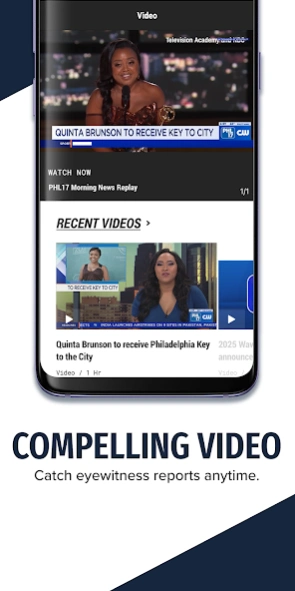

Livestreaming, breaking news alerts, and all the local news you want from PHL17
News has never been more local than in the palm of your hand. The PHL17 CW mobile app brings you all the top stories from our daily broadcasts, as well as stories developing in real time.
Enjoy PHL17 CW in the palm of your hand. The PHL17 CW mobile app brings you all the top stories from our daily broadcasts as well as Philadelphia, News, Traffic, Weather. Our Live Stream features PHL17 CW Morning News daily, Weekend Philler and In Focus on weekends and great special event programming as it occurs.
FEATURES:
• Watch video of your trusted reporters on the scene, and read revealing articles on what's going on in your community.
• Plan your day and week with detailed weather conditions, live alerts of severe conditions, and an interactive radar map.
• Optional alerts on breaking news keep you in the know.
• On the go? Save stories for later to access at your convenience.
About PHL17 News - WPHL PHILADELPHIA
The company that develops PHL17 News - WPHL PHILADELPHIA is Nexstar Inc.. The latest version released by its developer is 510.2.0.
To install PHL17 News - WPHL PHILADELPHIA on your Android device, just click the green Continue To App button above to start the installation process. The app is listed on our website since 2026-10-05 and was downloaded 3 times. We have already checked if the download link is safe, however for your own protection we recommend that you scan the downloaded app with your antivirus. Your antivirus may detect the PHL17 News - WPHL PHILADELPHIA as malware as malware if the download link to com.tribtv.wphl is broken.
How to install PHL17 News - WPHL PHILADELPHIA on your Android device:
- Click on the Continue To App button on our website. This will redirect you to Google Play.
- Once the PHL17 News - WPHL PHILADELPHIA is shown in the Google Play listing of your Android device, you can start its download and installation. Tap on the Install button located below the search bar and to the right of the app icon.
- A pop-up window with the permissions required by PHL17 News - WPHL PHILADELPHIA will be shown. Click on Accept to continue the process.
- PHL17 News - WPHL PHILADELPHIA will be downloaded onto your device, displaying a progress. Once the download completes, the installation will start and you'll get a notification after the installation is finished.
Program Details
System requirements
Download information
Pricing
Version History
version 510.2.0
posted on 2026-10-05
We’ve fixed some bugs and improved general performance.
version 500.3.0
posted on 2024-04-09
We’ve reduced the number of weather push notifications and improved their accuracy. We also disabled the floating player on tablets.
version 41.20.0
posted on 2023-04-19
If you’re holding your device in landscape when entering an article screen, the video will no longer automatically jump into full-screen mode. If you’re holding your phone or tablet in portrait orientation when you’re on an article, then you can still quickly launch video full-screen mode by rotating it to landscape. We also fixed some minor bugs.
version 41.9.0
posted on 2022-02-28
As always, we’re fixing bugs, and improving the performance of our app.
version 41.8.1
posted on 2022-02-07
Watching a video? Rotate your phone to landscape, and the video will automatically go full screen. As always, we’re fixing bugs, and improving the performance of our app.
version 41.7.1
posted on 2021-12-03
We fixed a bug where weather and closing alert banners were not opening the correct screen.
version 41.7.0
posted on 2021-11-19
The radar map on our Weather screen now taps through to a full-screen interactive map so you can see more of the regional conditions and radar motion.
We added a share button to the Video screen so you can send video news clips via SMS, email, or on social.
version 41.6.0
posted on 2021-09-30
A fresh session of bug squashing in this release. Please make sure automatic updates are turned on in your settings so you always get the latest builds.
version 41.5.0
posted on 2021-09-16
The news is important; that’s why we work to make it easier to access in our app.
-This latest build brings you larger, more legible text on articles and a design change to our video player that makes the mute and closed caption icons easier to tap.
-Just some backend performance work this time around to make sure your experience stays smooth.
We’ve also fixed a handful of bugs.
